 CheckFinder

QuickBooks Laser Business Checks
(25)


Laser Business Checks Compatible with QuickBooks Accounting Software
QuickBooks-compatible laser business checks can be ordered directly from Deluxe for printing vendor payments, payroll and other business expenses from your QuickBooks accounting software.
Deluxe offers preprinted business checks designed to work with QuickBooks, available in a variety of formats, colors and styles, including standard and high-security options.
Choose the Right QuickBooks Check Format
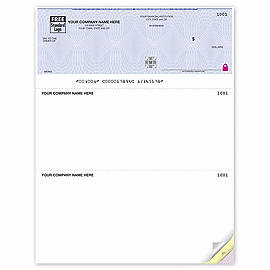
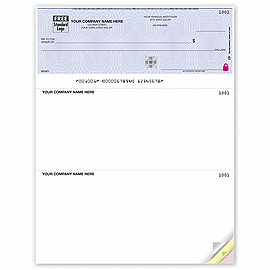
QuickBooks-compatible checks are available in multiple layout options, including versatile top checks and 3-on-a-page checks.
Top checks include one check per sheet (located at the top of the page), with space for payment details on detachable stubs. 3-on-a-page checks include 3 checks per sheet, generally without accompanying vouchers. If you prefer 3-on-a-page checks with detachable stubs, choose our DLW008 or DLW010 lined wallet-size checks that come with convenient side stubs to list payment details.
Before ordering, verify that your selected check layout is compatible with your version of QuickBooks.
Find Additional Business Products Compatible With QuickBooks
Deluxe also offers a variety of other banking products, invoices, and forms to complement your laser checks; all designed for use with QuickBooks software. These essential business supplies can help your organization speed up bank deposits, simplify accounting tasks, and maintain a more organized financial system. Please check out our software compatibility page to see the full line of Deluxe products that seamlessly integrate with QuickBooks.
Disclaimer: QuickBooks® is a registered trademark of Intuit Inc. Deluxe is not affiliated with or endorsed by Intuit Inc.
Frequently Asked Questions – QuickBooks-Compatible Laser Business Checks
How can I tell if Deluxe business checks are compatible with QuickBooks software?
Many of Deluxe’s laser business checks are compatible with QuickBooks Desktop software. The best way to find checks that are QuickBooks compatible is to use our CheckFinderTM tool. Not sure how to choose the right QuickBooks-compatible check for your business? CheckFinderTM can help with that too.
What customization options does Deluxe offer for QuickBooks-compatible business checks?
Deluxe offers a variety of customization options, so you can create checks that match your company's branding. Some customization features include your business name and address, inclusion of a business logo, fonts and ink colors, security features, and premium and charitable designs.
Can QuickBooks-compatible laser business checks from Deluxe be used for payroll?
Yes, QuickBooks-compatible laser checks can be used to print payroll checks directly from QuickBooks when supported by your payroll setup. Top checks with detachable stubs are particularly useful for providing employees with payment details and maintaining payroll records.
Should I choose high security QuickBooks-compatible laser business checks?
High security checks from Deluxe provide additional layers of check fraud protection to help prevent check alteration, copying, and counterfeiting. High security checks can be especially beneficial for businesses that issue large or frequent payments by check.
Do I have to buy checks from Intuit to use with QuickBooks?
No. You can purchase QuickBooks-compatible business checks from Deluxe rather than ordering directly from Intuit. The important consideration is choosing checks that match the layout required by your QuickBooks software.
How do I make sure my Deluxe business checks print correctly in QuickBooks?
Before printing checks, select the appropriate check format in your QuickBooks printer settings and print a test page on plain blank paper. Compare the sample with your preprinted checks from Deluxe to confirm proper alignment. If adjustments are needed, use the check printing and alignment settings in QuickBooks before printing your payments.