
How to Find Checks Compatible With Your Software
There are many things to consider when ordering business checks. Choosing business checks that are compatible with your accounting software is one of the most important considerations to make, yet it may seem like a daunting task. At Deluxe, we have made it easy to help you find exactly what you need.
-
Filter by Software Compatibility: On our laser business checks page, there are two ways to filter the products by software compatibility:
- Select your software from the drop-down menu on the pop-up that appears when you first land on this page and then click the "FIND COMPATIBLE CHECKS" button. This action will take you to a page listing only the checks that are compatible with the accounting software you selected. (Note: the pop-up may not appear if you have previously visited this page)
- Utilize the Software Compatibility filtering options on the left side of the page to select your specific accounting software. This action will update the products displayed to show only the checks that are designed to be compatible with the software you selected. This method will always be available every time you visit the laser business checks page.
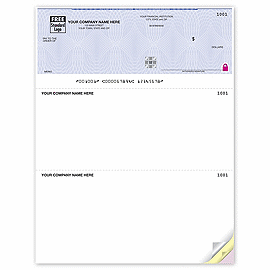
- Review Product Descriptions: Each laser business check product page includes detailed information about software compatibility. For example, these "High Security Laser Top Checks" are noted to be compatible with QuickBooks, Microsoft Money, and various other software versions. This method is helpful if you clicked on a product listing without using either of the filtering methods mentioned above.
- Contact Customer Support: If you're still uncertain about compatibility, Deluxe offers a customer support team ready to assist with any questions or concerns.


By using these resources, you can confidently select laser business checks that are compatible with your accounting software.
If you'd like to learn more about business checks, check fraud protection, or our commitment to customer service, head over to our helpful resources page.
Top Selling Products
Quickbooks Compatible!
Quickbooks Compatible!

Quickbooks Compatible!



 CheckFinder